
 Image 1 of 1
Content Ecosystem Blueprint
The complete digital implementation framework for SharePoint and Power Automate.
This package includes everything you need to install the pre-built governance automations directly into your organization’s Sharepoint site.
Pre-Built Power Automate Workflows
Deploy content governance faster with ready-to-import Power Automate workflows designed for SharePoint and Microsoft 365. These automations manage content review, approvals, publishing, change requests, and archival—eliminating repetitive manual tasks while creating a consistent governance process across your organization.
The Content Ecosystem Blueprint
A comprehensive downloadable framework for implementing enterprise-grade content governance within Microsoft 365. Built around SharePoint and Power Automate, it combines governance strategy, inventory management, lifecycle planning, and workflow automation into one complete implementation package.
Instead of spending months designing your own governance program—or hiring consultants to build one for you—you can deploy a proven framework that's ready to adapt to your organization.
The Package Includes:
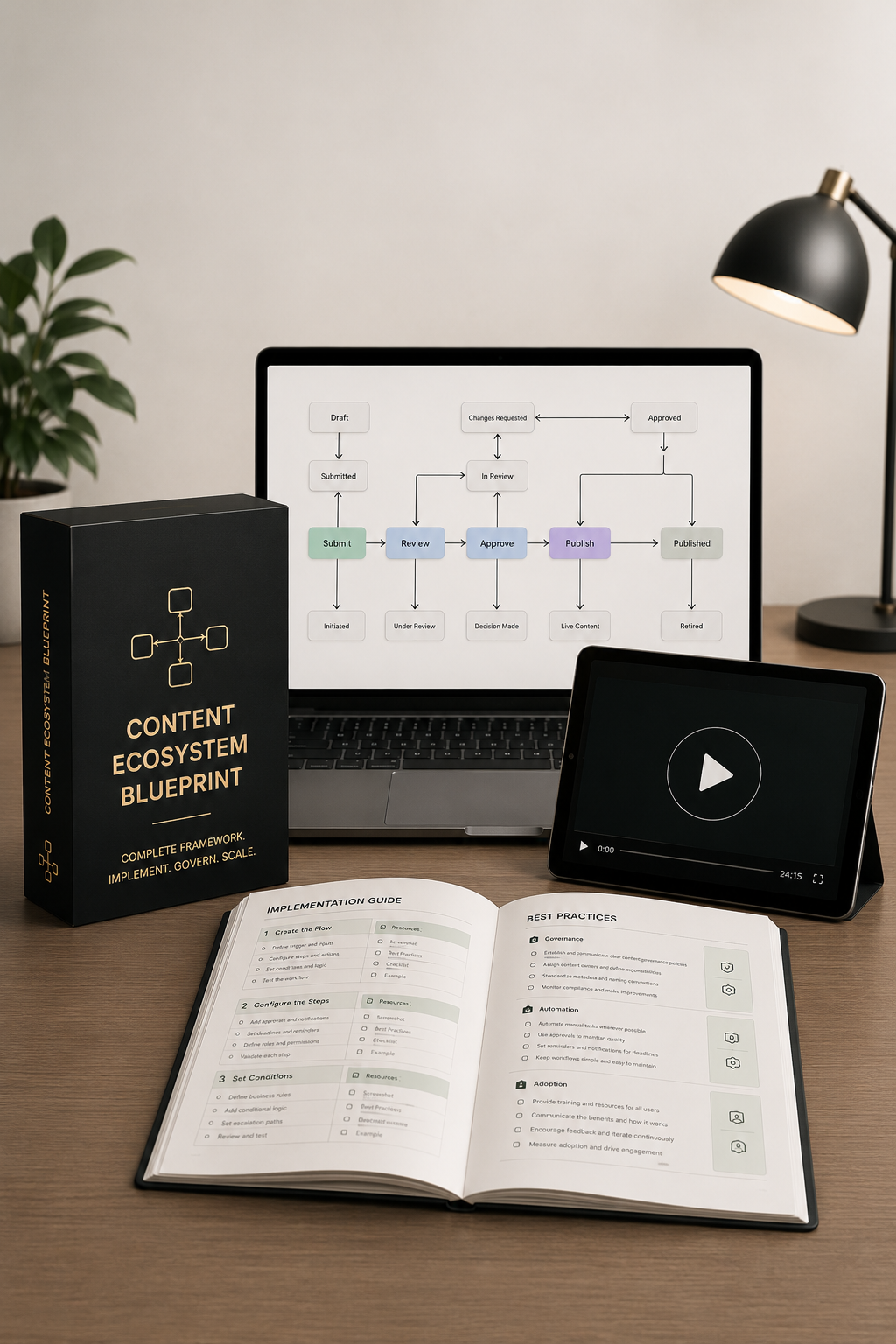
Four (4) Power Automate Governance Workflows that can be imported to your organization’s Power Automate environment and are easy to set up with the Workflow Implementation Guide that will help you connect the workflows to Sharepoint and establish the workflow setup according to your organizational structure.
The workflows manage automatic, end-to-end communication between content creators, content decision-makers, and publishers, keeping track of current status, notes, and decisions while automatically updating metadata to reflect status changes, important notes, and publication.
Each workflow tracks the content lifecycle from the moment content is submitted for approval, through review and any required changes or edits, to ready-to-go-live and publishing status.
This helps make ownership transparent, so you always know who created the content, who is responsible for it, and why it exists.
To connect your team with truly lasting value, you also get Step-by-Step Workflow Implementation Screenshots as well as an Instructional Video Walkthrough for visual learners as well as to provide a deeper understanding of how Power Automate workflows work and how you can also set up your own automated workflows according to your organization’s specific needs.
PLUS:
The Content Inventory Spreadsheet provides a starting point for keeping inventory of all document data in your organization’s Sharepoint, which can be easily extracted into the spreadsheet using the SharePoint Library Extraction Guide that’s also included.
It comes pre-filled with metadata fields designed to support content inventory, governance, evaluation, optimization, and lifecycle management and color-coded based on 8 categories: Content Identification & Classification, Content Audit & Recommendations, Content Governance, Content Performance & Engagement, SEO & Organic Search, Content Quality & Experience, Content Optimization & Action Planning, Content Lifecycle & Migration.
Use the Content Inventory Guide to simplify chaotic inventories and effectively organize, categorize, and capture a clear view of your organization’s content stored in Sharepoint, creating a central repository for documenting, evaluating, and governing content assets across your organization, designed to support both simple content inventories and comprehensive content audits.
The Content Governance Structure Guide and Content Governance & Lifecycle Framework provide a straight-forward, single-source-of-truth framework that creates clear-path infrastructure for your organization’s Sharepoint library as well as standardized lifecycle management, clear governance ownership, and better operational efficiency.
Perfect for:
Implementing enterprise content governance
Automating review and approval workflows
Standardizing Microsoft 365 content operations
Accelerating governance initiatives without consulting
Digital product only. No physical product or consulting services are included. Product images are for illustration purposes only.
The complete digital implementation framework for SharePoint and Power Automate.
This package includes everything you need to install the pre-built governance automations directly into your organization’s Sharepoint site.
Pre-Built Power Automate Workflows
Deploy content governance faster with ready-to-import Power Automate workflows designed for SharePoint and Microsoft 365. These automations manage content review, approvals, publishing, change requests, and archival—eliminating repetitive manual tasks while creating a consistent governance process across your organization.
The Content Ecosystem Blueprint
A comprehensive downloadable framework for implementing enterprise-grade content governance within Microsoft 365. Built around SharePoint and Power Automate, it combines governance strategy, inventory management, lifecycle planning, and workflow automation into one complete implementation package.
Instead of spending months designing your own governance program—or hiring consultants to build one for you—you can deploy a proven framework that's ready to adapt to your organization.
The Package Includes:
Four (4) Power Automate Governance Workflows that can be imported to your organization’s Power Automate environment and are easy to set up with the Workflow Implementation Guide that will help you connect the workflows to Sharepoint and establish the workflow setup according to your organizational structure.
The workflows manage automatic, end-to-end communication between content creators, content decision-makers, and publishers, keeping track of current status, notes, and decisions while automatically updating metadata to reflect status changes, important notes, and publication.
Each workflow tracks the content lifecycle from the moment content is submitted for approval, through review and any required changes or edits, to ready-to-go-live and publishing status.
This helps make ownership transparent, so you always know who created the content, who is responsible for it, and why it exists.
To connect your team with truly lasting value, you also get Step-by-Step Workflow Implementation Screenshots as well as an Instructional Video Walkthrough for visual learners as well as to provide a deeper understanding of how Power Automate workflows work and how you can also set up your own automated workflows according to your organization’s specific needs.
PLUS:
The Content Inventory Spreadsheet provides a starting point for keeping inventory of all document data in your organization’s Sharepoint, which can be easily extracted into the spreadsheet using the SharePoint Library Extraction Guide that’s also included.
It comes pre-filled with metadata fields designed to support content inventory, governance, evaluation, optimization, and lifecycle management and color-coded based on 8 categories: Content Identification & Classification, Content Audit & Recommendations, Content Governance, Content Performance & Engagement, SEO & Organic Search, Content Quality & Experience, Content Optimization & Action Planning, Content Lifecycle & Migration.
Use the Content Inventory Guide to simplify chaotic inventories and effectively organize, categorize, and capture a clear view of your organization’s content stored in Sharepoint, creating a central repository for documenting, evaluating, and governing content assets across your organization, designed to support both simple content inventories and comprehensive content audits.
The Content Governance Structure Guide and Content Governance & Lifecycle Framework provide a straight-forward, single-source-of-truth framework that creates clear-path infrastructure for your organization’s Sharepoint library as well as standardized lifecycle management, clear governance ownership, and better operational efficiency.
Perfect for:
Implementing enterprise content governance
Automating review and approval workflows
Standardizing Microsoft 365 content operations
Accelerating governance initiatives without consulting
Digital product only. No physical product or consulting services are included. Product images are for illustration purposes only.